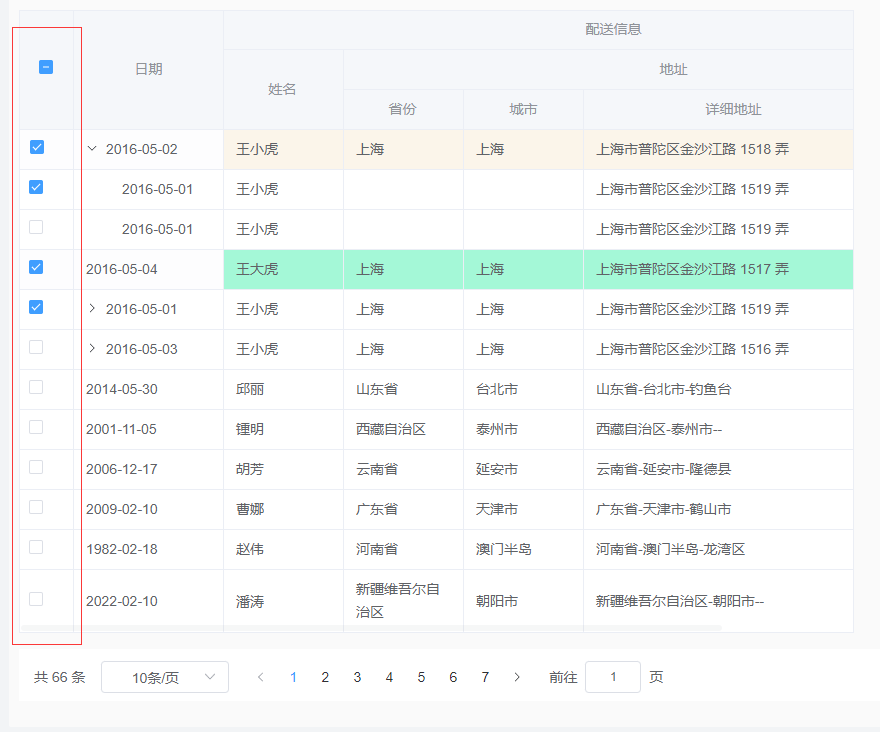
行数据多选
基础用法
| 属性 | 值 | 说明 |
|---|---|---|
| :headerData | type: "selection" | headerData数据中首列type设置为selection |
| @selection-change | 函数名 | 用于获取选中行的数据 |
html示例:
<yui-table
    :rowData="rowData数据对象"
    :headerData="headerData数据对象"
    :controlAtrr="controlAtrr数据对象"
    @selection-change="handleSelectionChange"
>
</yui-table>
vue.js示例
<script lang="ts">
  methods: {
      // 多选,方法触发
      handleSelectionChange(val) {
        console.log("===handleSelectionChange===", val)
      },

  },

</script>
headerData第一列设置type为“selection”,示例如下:
[
  {
    id: 100,
    width: "55",
    type: "selection",
  },
  {
    id: 100,
    label: "日期",
    prop: "date",
    width: "150",
    fixed: true,
  },

]
效果